01 / Define the property
Start with the grounds that need care.
Choose the property type and service boundary so the first budget reflects the landscape work you need to understand.
Landscape estimating, made easier
You don’t need every measurement to start the conversation. Turn the property details you have into budget pricing, a clear landscape plan, and a proposal you can review with confidence.
One free Basic trial for one property, with limited Advanced features. Receive a sign-in code by email. Signed-in customers go straight to their workspace. See how the proposal workflow is designed ↓

Built for every side of the landscape plan
Build a preliminary quote around a defined scope.
Plan maintenance budgets before property handover.
Compare services, schedules, and budget options.
Review the scope and budget before making a decision.
Understand the landscape plan and the cost behind it.
See Baseline in action
Take a look inside Proposal Studio. Follow all four steps below, from property setup to a reviewable budget estimate. Each example is a screen from the actual app, using a fictional apartment community.

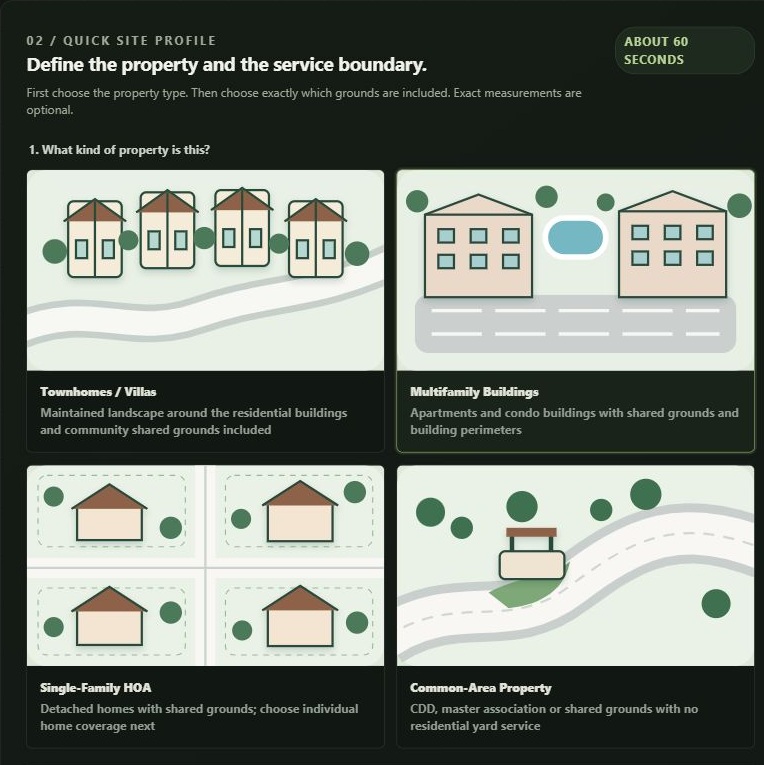
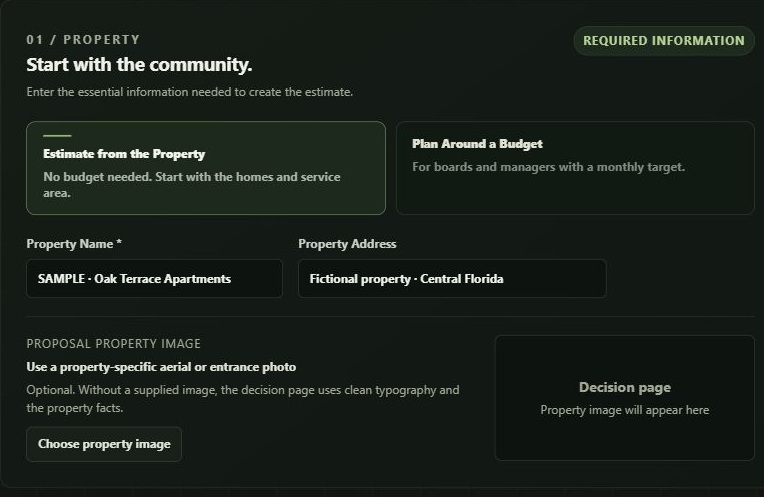
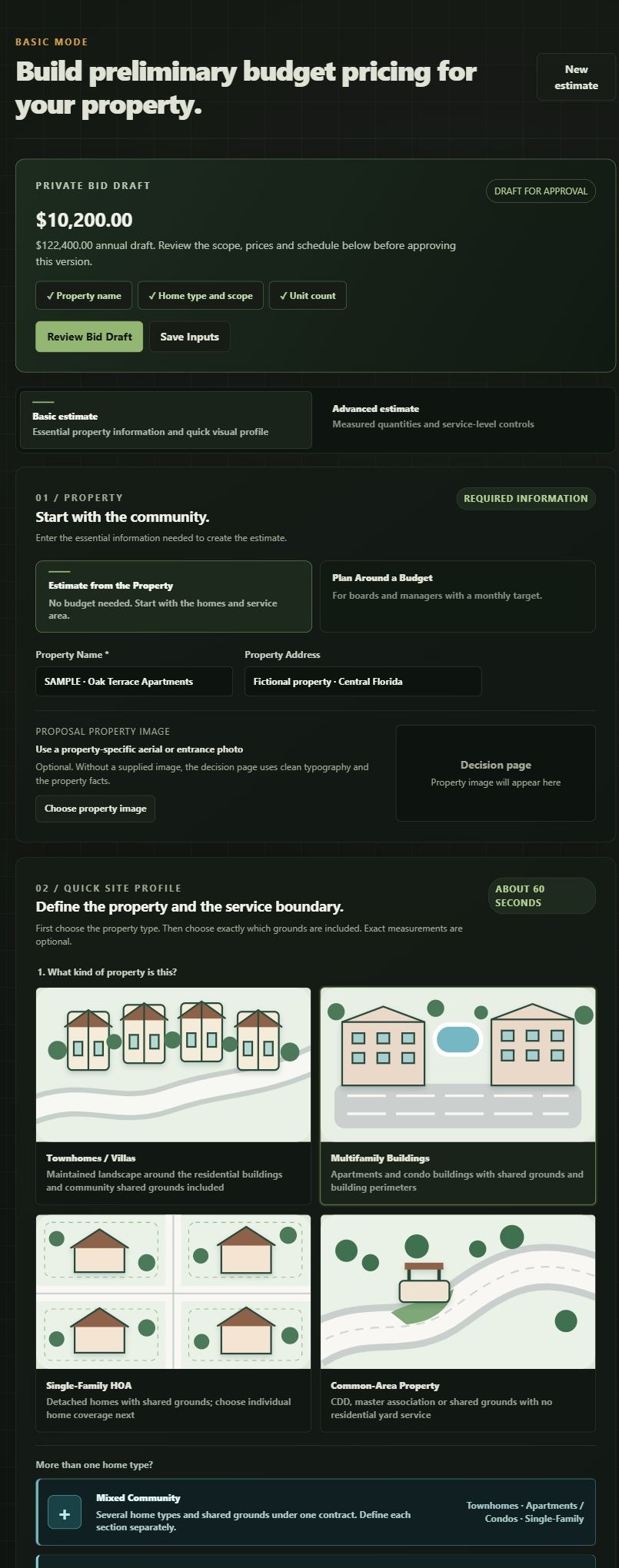
01 / Define the property
Choose the property type and service boundary so the first budget reflects the landscape work you need to understand.

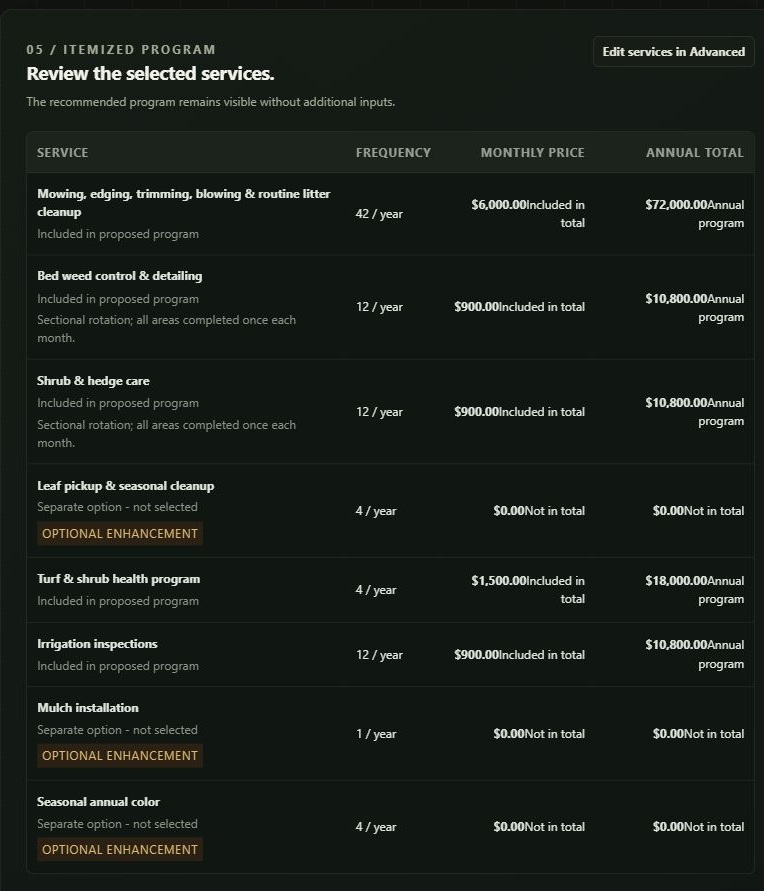
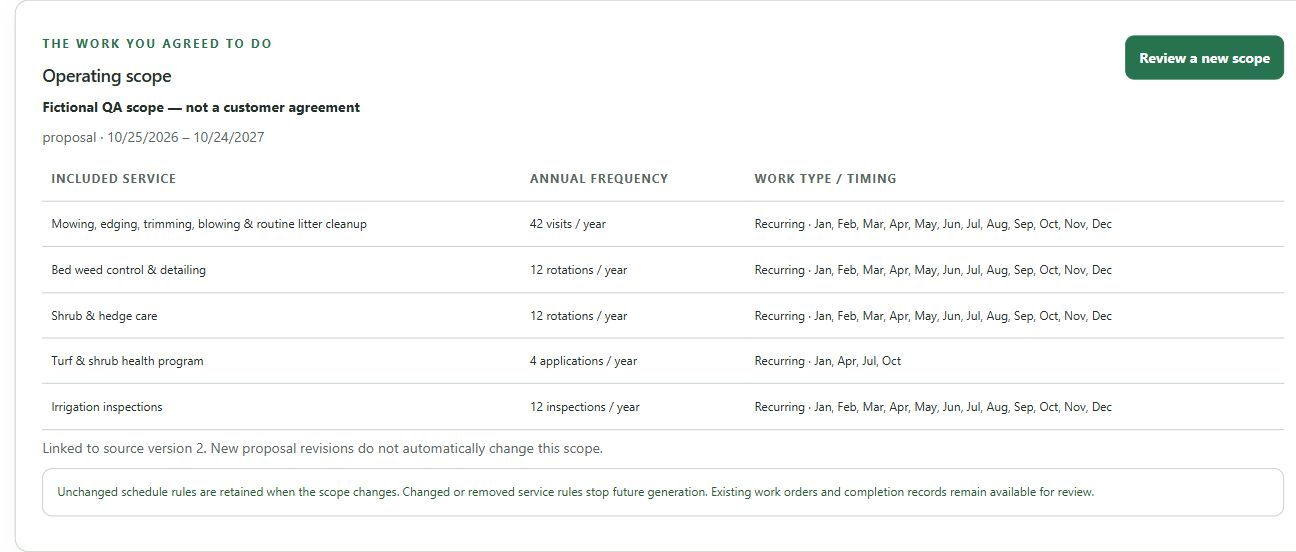
02 / See what is included
Review the itemized service program, visit frequency, and monthly and annual budget pricing together. Included work and separate options stay visible.

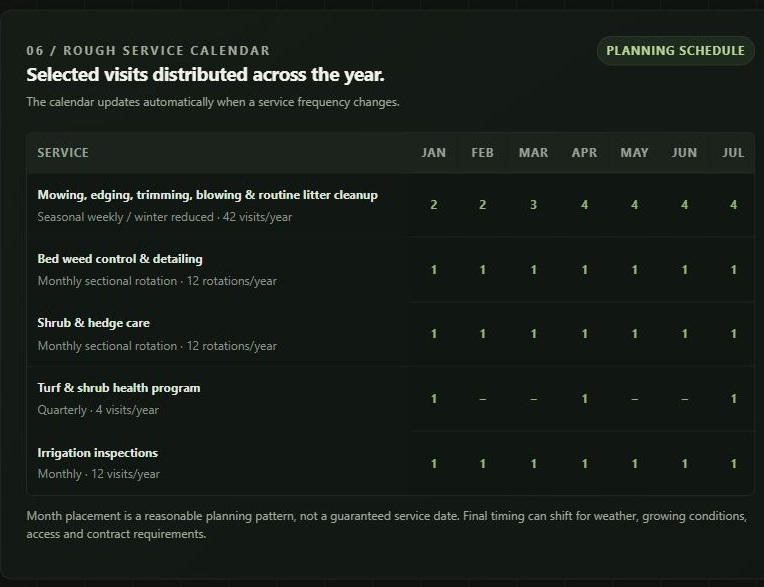
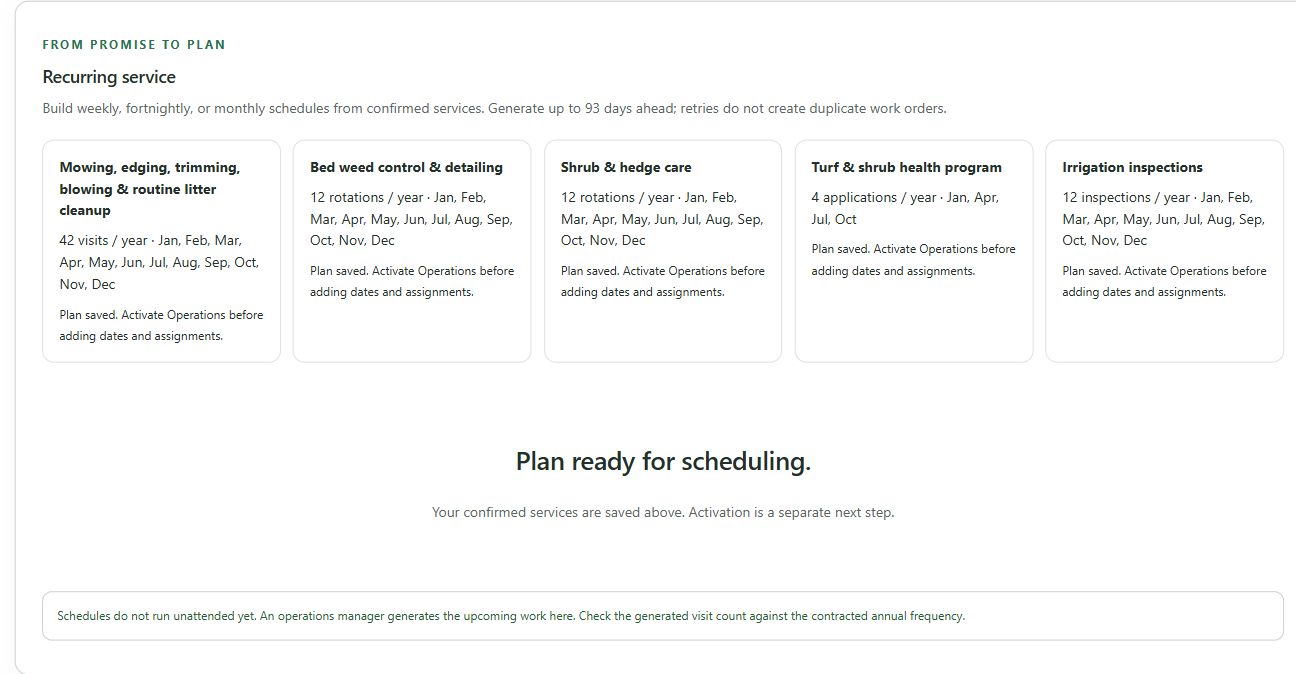
03 / Understand the visits
See the services and visit frequencies you selected in one annual planning calendar. Review seasonal timing before confirming the final landscape plan.

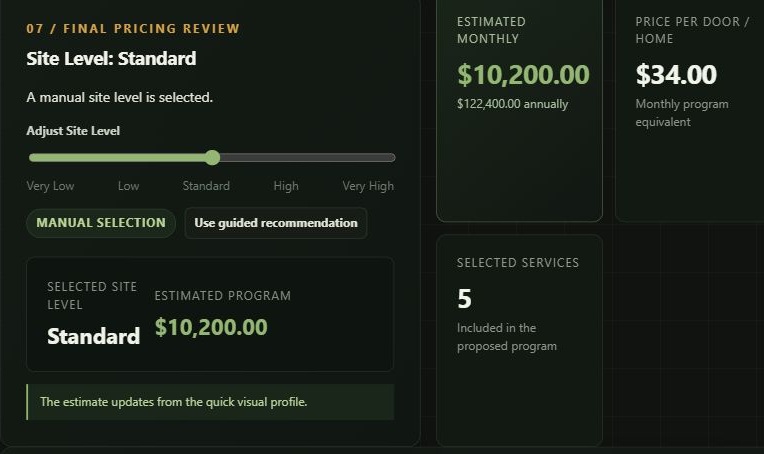
04 / Review the budget
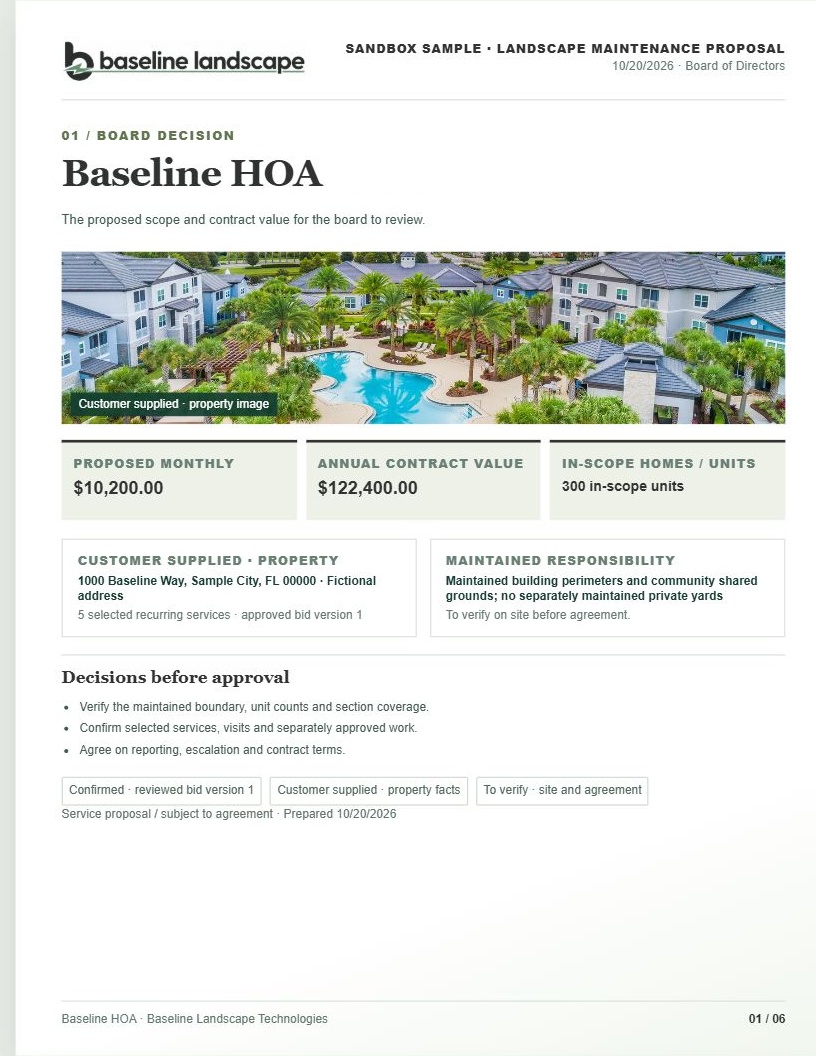
Understand what a realistic budget and a matching landscape plan could look like for your property. Review the services, selected schedule, and monthly and annual budget pricing together before deciding your next move.
One free Basic trial for one property, with limited Advanced features. Proposal exports and full Advanced tools require a paid plan.
Built for the whole community
Townhomes, single-family homes, apartments, and shared grounds can all belong to one community. Your proposal should make the work and the price easy to follow.
For communities with different home types, review each residential section and one master common-area line. Each home’s total includes its share of the shared grounds, and the contract counts that common-area cost once.
This six-page Baseline HOA example uses Proposal Studio’s proposal format, fictional property details, and an illustrative community photo. Full proposals and exports require paid access.

See the work behind each decision
These actual app screens show the property inputs, budget review, and selected service program behind each step. All examples use fictional sample data.

Enter the property name and address, then choose a property-based estimate or a budget-planning path.
Explore property setup Actual app · Sample data · Click image to enlarge
See the site-level setting, monthly and annual estimate, and price-per-home equivalent before moving the quote forward.
Explore the budget review Actual app · Sample data · Click image to enlarge
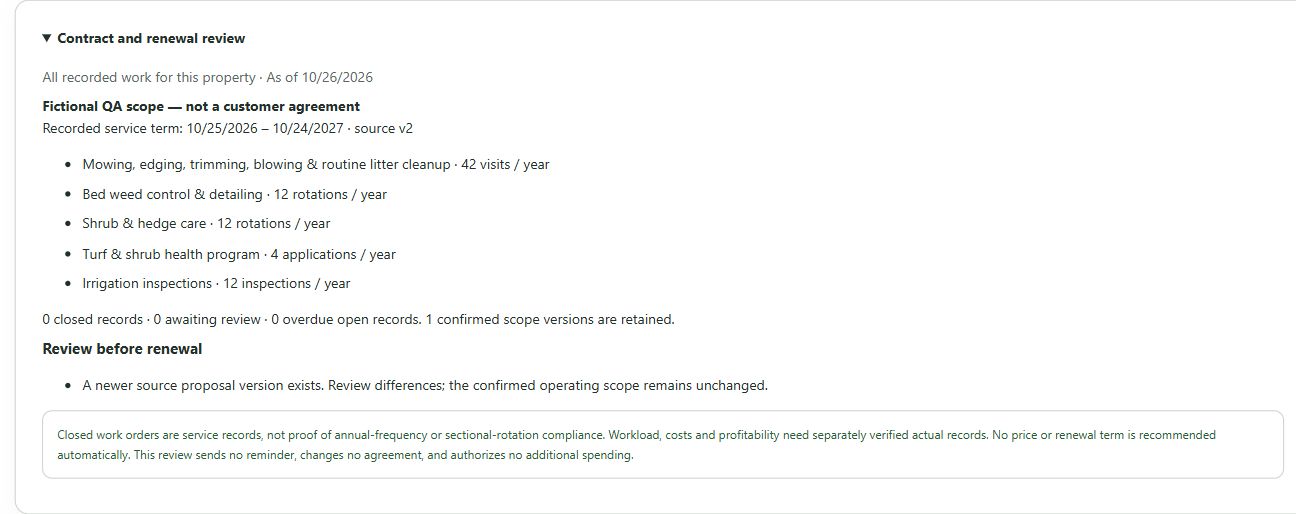
Review included services, annual visit counts, and budget pricing in one service program before discussing the plan with your team.
Explore included services Actual app · Sample data · Click image to enlargeGood to know
One free Basic trial for one property, with budget pricing and limited Advanced features: workload, service scope and visit-frequency controls. Measured quantities and custom prices require an active plan. Full proposals and print/PDF exports require paid access. Revisions to the trial property do not start another trial.
Open Proposal Studio and enter your details. Proposal Studio creates a private workspace and emails a sign-in code. Signed-in customers reach their workspace through the same link.
No. A rough unit count and the types of homes or buildings are enough to begin budget pricing. Verify measurements and site conditions before treating the proposal as a final commitment.
The upcoming Proposal Studio pilot is designed to record each home type and unit count, price the master association separately, and allocate that common-area amount equally across all included homes. Each section shows its all-in per-home amount, and the contract total counts the master amount once. The example on this page is illustrative.
The upcoming pilot workflow can use available files to suggest draft details. Review any suggested facts and service requests against the source material before using them in pricing or a customer proposal.
No. It is a starting point. Your team should confirm service boundaries, visit frequency, site conditions, and final terms before sending a binding proposal.
Open Proposal Studio to create your workspace. The workflow for different home types and customer files is part of the next pilot release.
Start with one property
Try Basic on one property, with workload, scope and visit-frequency controls. Full proposals, print/PDF exports and additional properties require paid access. Returning users go to their dashboard.
Talk to Baseline
Need help getting started, want a walkthrough, or have a property to discuss? Tell us a little about what you need.
Your message goes to Baseline. Please leave passwords, payment details, and confidential customer files out of this form.